Practice opening and closing checklist
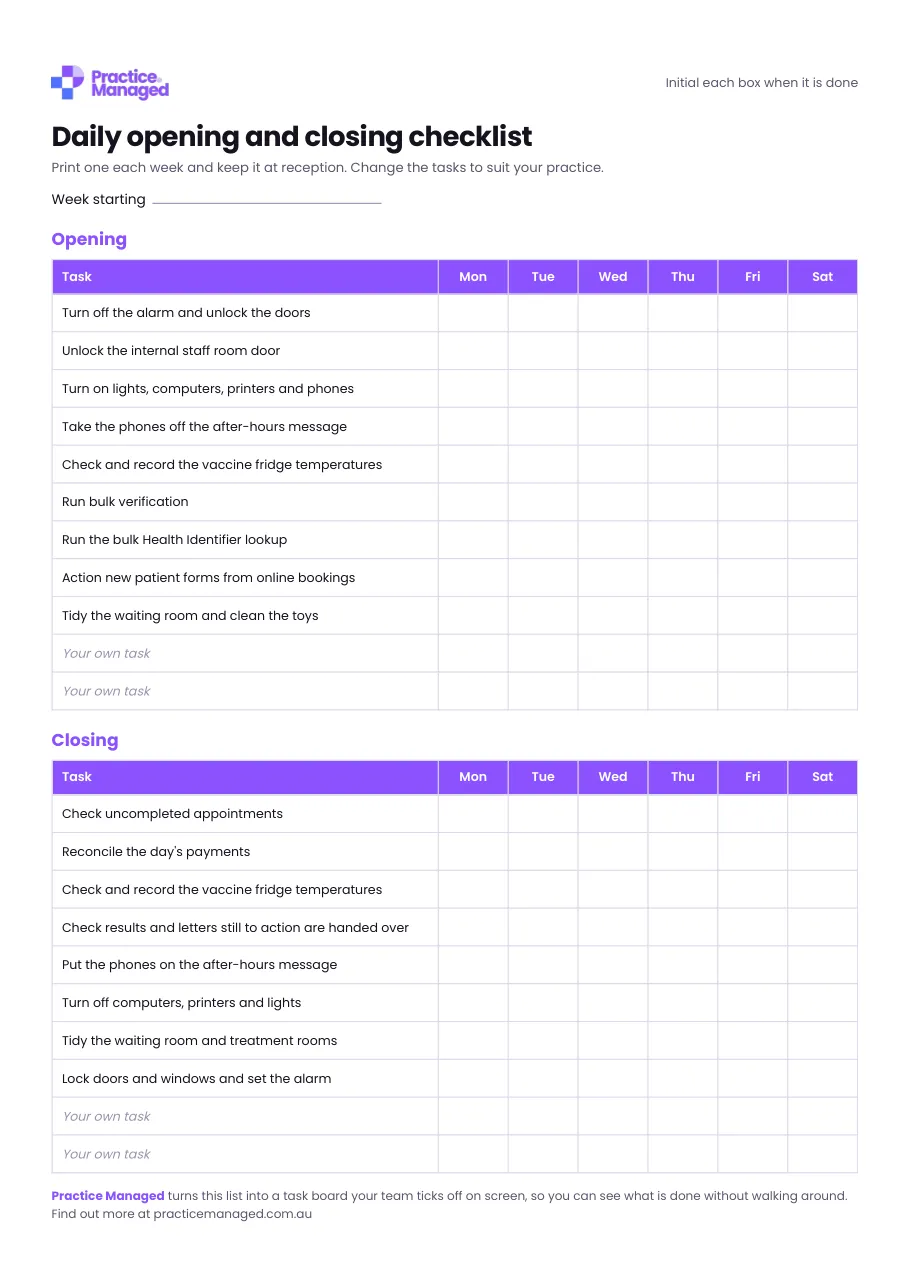
A one-page weekly sheet for reception, Monday to Saturday. Your team initials each task as it is done, so you can see at a glance that nothing was missed.
What's inside
- Opening: alarm and doors, lights and computers, phones off the after-hours message, vaccine fridge temperatures, online booking forms and a tidy waiting room.
- Closing: unfinished appointments, the day's payments, fridge temperatures, results still to action, phones to after hours, and locking up.
- Spare rows for your own tasks.
Who fills it in, and when
Reception staff fill it in, initialling each task as it is done. Print a new sheet each week and keep it at reception, with a column for each day from Monday to Saturday. Write the date at the top under Week starting. The opening list starts with turning off the alarm and unlocking the doors, and the closing list ends with locking up and setting the alarm.
How to use it
- Print one sheet each week and keep it at reception.
- Change the tasks to suit your practice.
- Keep the finished sheets as a record.
Opening and closing checklist (one page per week)
PDF · 62 KB · free
Which RACGP Standards it helps with
The vaccine fridge task helps with 5th edition criterion GP6.1 and 6th edition criterion CG12 (both Maintaining vaccine potency), which ask for a record of fridge monitoring; the temperatures themselves go in your fridge log. The results hand-over task helps with GP2.2 and CG6 (both Follow-up systems).
- 5th edition: GP6.1 Maintaining vaccine potency
- 6th edition: CG12 Maintaining vaccine potency
- 5th edition: GP2.2 Follow-up systems
- 6th edition: CG6 Follow-up systems
An example
Example (made-up initials): on Tuesday, the opening task Check and record the vaccine fridge temperatures is initialled MS. At closing, Reconcile the day's payments is initialled RP. One spare row now reads Restock the printer paper, added by the practice.
Common mistakes to avoid
- Initialling a box before the task is done, when the sheet asks you to initial each box when it is done.
- Using the tasks exactly as printed, when the sheet says to change them to suit your practice and use the spare rows for your own.
- Keeping it out of sight, when the sheet is meant to stay at reception where the whole team can see it.
Goes well with
It goes with our guide Practice manager duties in a GP practice: what the job really involves.
Want to know where the rest of your practice stands? Take the free readiness check: ten yes-or-no questions, your score straight away, and a to-do list sent to your inbox.