Staff credentials register template
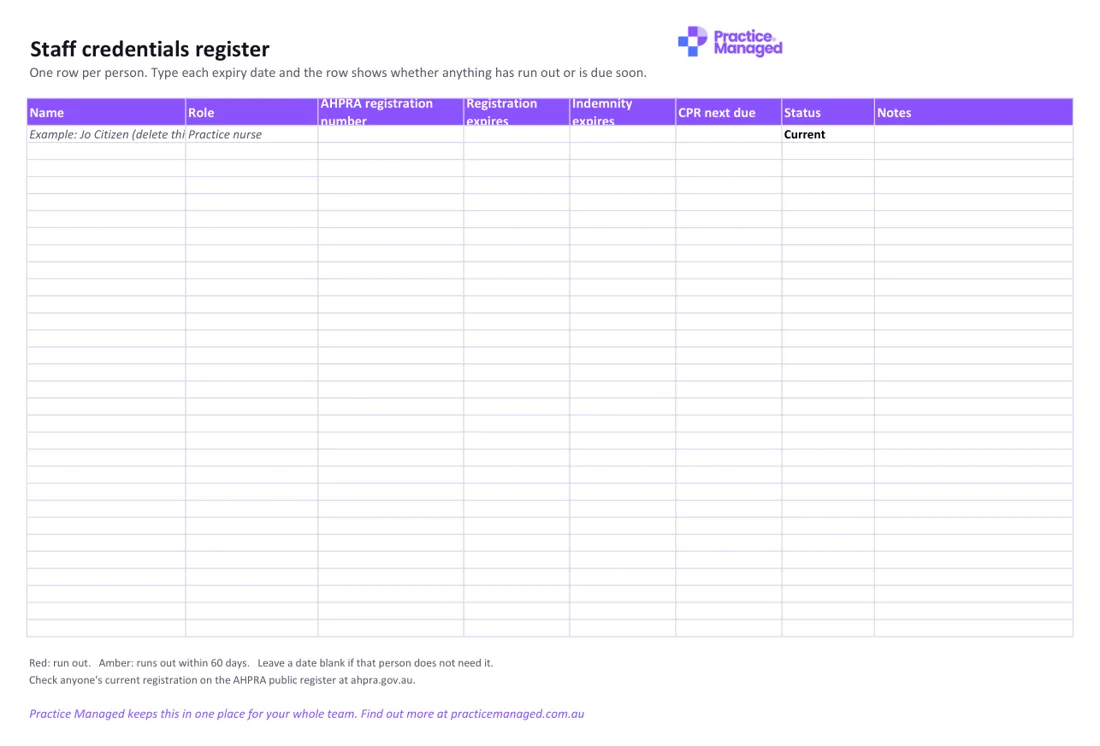
One row per person for Ahpra registration, indemnity and CPR. Type each expiry date and the row shows whether anything has run out or runs out within 60 days.
What's inside
- Register: name, role, Ahpra registration number, registration expiry, indemnity expiry and when CPR is next due.
- Status: shows Expired, Due soon (within 60 days) or Current, by itself.
- What each role needs: you decide which documents each role must hold, so new starters know what to bring.
Who fills it in, and when
The practice manager usually keeps it. Add a row when someone starts, update the dates when they renew, and keep an eye on the Status column so nothing runs out unnoticed. Leave a date blank if that person does not need it. Fill in the What each role needs tab too, so new starters know which documents to bring.
How to use it
- Fill in the What each role needs tab first.
- Add one row for each staff member, and delete the example row.
- Check the Status column once a month.
Staff credentials register
Excel · 44 KB · free
Which RACGP Standards it helps with
Supports 5th edition criteria GP3.1 (Qualifications, education and training of healthcare practitioners) and C8.1 (Education and training of non-clinical staff), and 6th edition criteria F5 (Registration and qualifications of practitioners) and F4 (Induction, training and supporting performance), which asks for CPR certification at least every three years.
- 5th edition: GP3.1 Qualifications, education and training of healthcare practitioners
- 5th edition: C8.1 Education and training of non-clinical staff
- 6th edition: F5 Registration and qualifications of practitioners
- 6th edition: F4 Induction, training and supporting performance
An example
Example row (made-up): Jo Citizen, practice nurse. Registration expires 31 May, indemnity expires 30 June, CPR next due 15 March. On 1 March the row shows Due soon, because CPR falls due within 60 days. The key under the table explains the colours: red means something has run out, amber means it runs out within 60 days.
Common mistakes to avoid
- Leaving the example row in place, when the file says to delete it before you add your team.
- Typing a date for something that person does not need, instead of leaving it blank so it does not change the status.
- Relying on what staff tell you, when you can check anyone's current registration on the Ahpra public register at ahpra.gov.au.
Goes well with
It goes with our guide How to check your staff's registration: a guide for practice managers.
Want to know where the rest of your practice stands? Take the free readiness check: ten yes-or-no questions, your score straight away, and a to-do list sent to your inbox.