Staff training register template
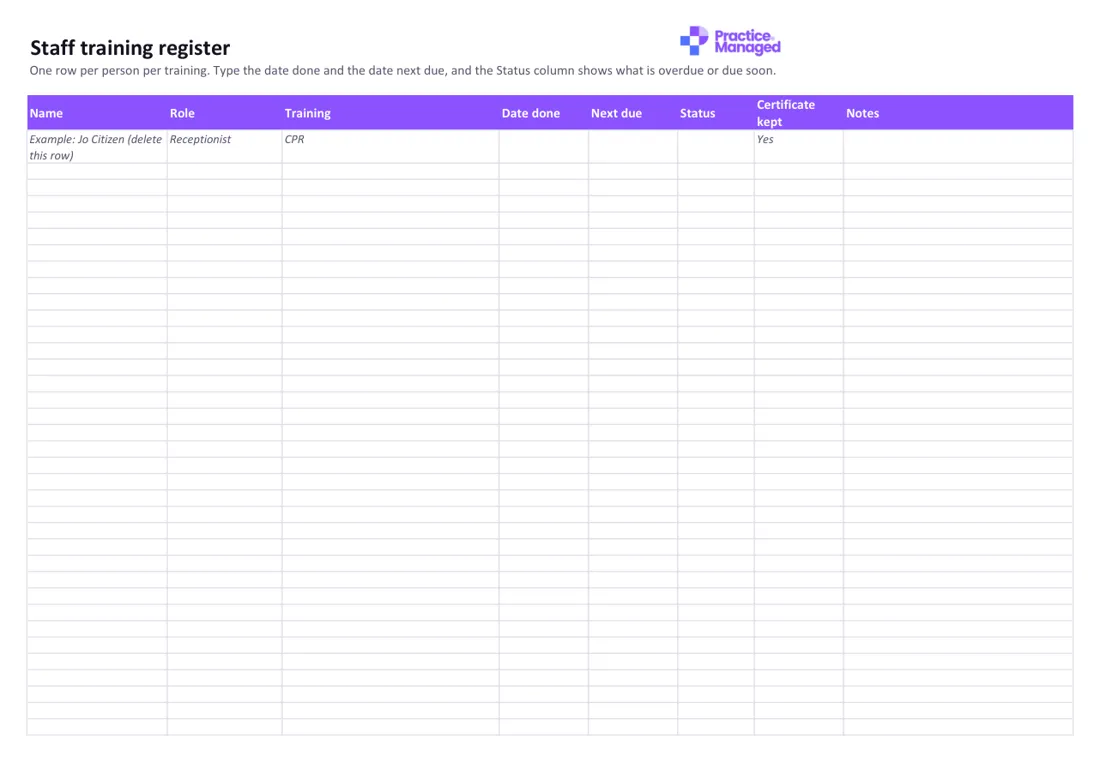
One row per person per training. Type the date done and the date it's next due, and the register shows what is overdue or due soon.
What's inside
- Register: name, role, training, date done, next due, status and whether you kept the certificate.
- Status: shows Overdue, Due soon (within 60 days) or Current, by itself.
- Who needs what: a tab to decide which training each role needs, with the training the Standards name for everyone already filled in.
Who fills it in, and when
The practice manager, or whoever keeps staff records, looks after it. Fill in the Who needs what tab when you set it up, then add a row each time someone finishes training. Check the Status column once a month. Doctors and nurses keep up their own professional development, but the file suggests you keep a record of their registration, CPD and CPR. WorkSafe Victoria suggests each record shows the date, the topics covered and the names of the trainer and the people trained.
How to use it
- Fill in the Who needs what tab first.
- Add a row each time someone does training, and delete the example row.
- Check the Status column once a month.
Staff training register
Excel · 46 KB · free
Which RACGP Standards it helps with
Supports 5th edition criteria C8.1 (Education and training of non-clinical staff) and GP3.1 (Qualifications, education and training of healthcare practitioners), and 6th edition criterion F4 (Induction, training and supporting performance). Both editions ask for CPR at least once every three years, and the 6th edition adds training in abuse and violence, including family, domestic and sexual violence.
- 5th edition: C8.1 Education and training of non-clinical staff
- 5th edition: GP3.1 Qualifications, education and training of healthcare practitioners
- 6th edition: F4 Induction, training and supporting performance
An example
Example only: Jo Citizen, Receptionist, CPR, done 10 March 2025, next due 10 March 2028, certificate kept: Yes. The next due date is more than 60 days away, so Status shows Current. When March 2028 is less than 60 days away, it turns to Due soon, and after the date passes it shows Overdue.
Common mistakes to avoid
- Counting an online-only CPR course: the file says CPR must come from an accredited provider and include doing it in person.
- Leaving the next due date blank: the Status column stays empty without it.
- Forgetting to delete the example row before you start.
Goes well with
It goes with our guide Staff training records in a GP practice: what to keep and how.
Want to know where the rest of your practice stands? Take the free readiness check: ten yes-or-no questions, your score straight away, and a to-do list sent to your inbox.